


An Azure network watcher is a feature in Azure that enables developers to monitor and troubleshoot applications in the Azure Virtual Network. Azure network watchers also provide tools to monitor, diagnose, view metrics, and enable (or disable) logs for resources in an Azure Virtual Network. It is designed to monitor and repair the network health of IaaS (Infrastructure-as-a-Service) products, which include virtual machines, virtual networks, application gateways, load balancers, and other cloud computing resources.
In this Azure cloud development tutorial, we will create a network watcher and demonstrate its functionalities.
You can learn more about the Azure Virtual Network in ServerWatch’s guide: What is Azure VM?
How to Create Network Watcher in Azure
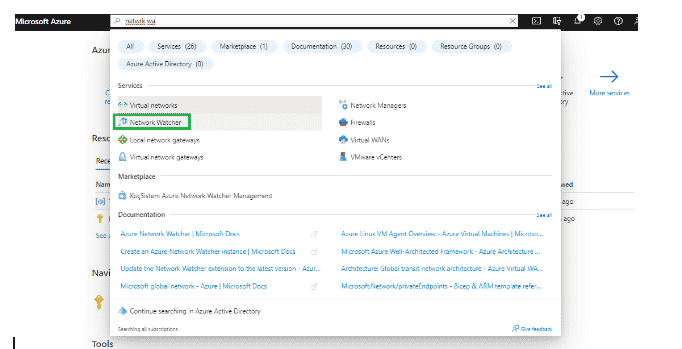
To begin, log in to the home page of Azure Portal and search for the phrase Azure Network Watcher.
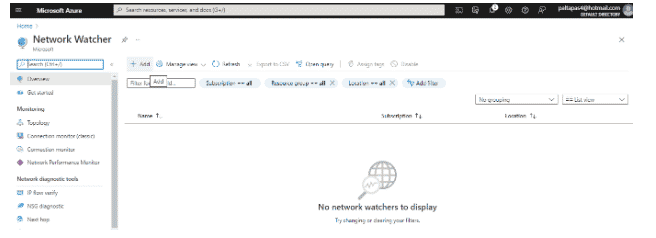
On the Network page, click Add to create a new network watcher.
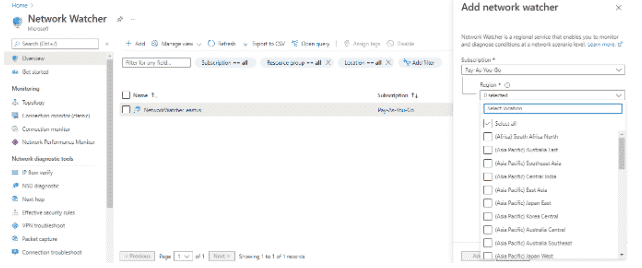
A new network watcher will be created. Now, click on the watcher and select all of the regions you want the watcher to continuously monitor.
Next, we need to deploy the network watcher and wait for the resource to be created.
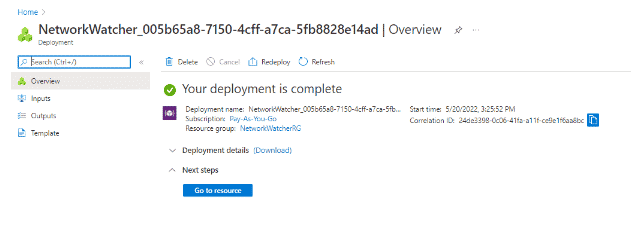
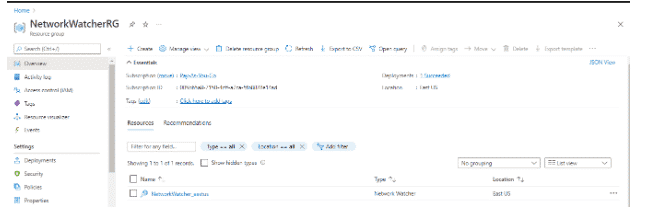
Once completed, go to the network watcher, as shown below:
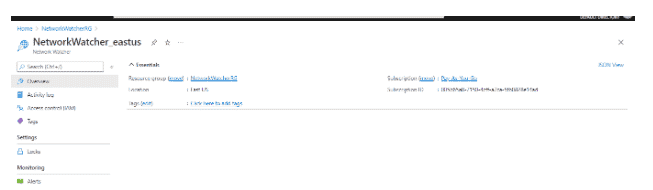
View the Overview section of the network watcher, as depicted here:
Use Azure Powershell to Work with Network Watchers
You can also use the Azure Powershell to work with an Azure network watcher. Once the virtual machine is created, you can use the below commands to operate the network watcher.
To enable network watcher, use the following command:
$networkWatcher = Get-AzNetworkWatcher -Name NetworkWatcher_easteurope -ResourceGroupName rgname
In the above example, you have to provide the network watcher name and resource group name.
To troubleshoot with IP Flow, developers can use the PowerShell command:
Test-AzNetworkWatcherIPFlow
The following code demonstrates how to create a network watcher from PowerShell:
$subscriptionId = ''
$networkWatcherName = ''
$resourceGroupName = ''
$apiversion = "2016-09-01"
$requestBody = @"
{
'location': 'West Central US'
}
"@
armclientput "https://management.azure.com/subscriptions/${subscriptionId}/resourceGroups/${resourceGroupName}/providers/Microsoft.Network/networkWatchers/${networkWatcherName}?api-version=${api-version}" $requestBody
To delete a network watcher from the PowerShell, use the following command:
Remove-AzNetworkWatcher -Name NetworkWatcher_westcentralus -ResourceGroupName NetworkWatcherRG
Final Thoughts on Creating an Azure Network Watcher
In this Azure cloud computing tutorial, we have shown you how to create an Azure network watcher. The goal of this article was to help developers understand the basic details of Azure network watchers and how to configure them.
Read more Azure cloud computing development tutorials.